It's 2026, and you'll regularly hear that prompting is obsolete: models are said to understand everything, agents to handle the rest. Day-to-day reality says the opposite. The more capable and autonomous AI becomes, the more the quality of your request shapes the result: knowing how to prompt remains the foundation.
Take two people sitting in front of the same ChatGPT. The first types "write some text for my website" and gets back three lukewarm paragraphs that would work for any business. The second describes their activity, their customer, their goal, and gets a text they barely have to touch before publishing. Same tool, same model, two results that have nothing in common. The difference lies entirely in how you ask.
That's the whole promise of the prompt, the message you send to the AI. We often wrap it in a technical halo, with its "magic formulas" and secret tricks. The reality is simpler: prompting well isn't about knowing incantations, it's about knowing how to give a clear brief. And that's something you already know how to do.
A prompt is a brief
The best mental image is that of the brief. Imagine you're handing a task to a brilliant intern: they've read an enormous amount, they write quickly and well, but they know nothing about you, your line of work, or what you expect. If you just tell them "make me something nice", they'll produce something generic. If you explain the context and the goal, they'll surprise you.
An AI works the same way. It doesn't read your mind and doesn't know your situation. It responds to what you describe, not to what you have in your head. This is true for all the chat assistants you use day to day: ChatGPT, Claude or Gemini.
And this doesn't only apply to text. Describing an image to generate, framing a video, guiding a coding tool or a presentation tool: that's prompting too. The principle stays the same everywhere, but each tool has its own conventions: an image generator isn't steered quite like a chat assistant. The reflex that saves time is to read the tips published by the tool's maker, there are almost always some.
The CTFC method: the 4 ingredients of a good prompt
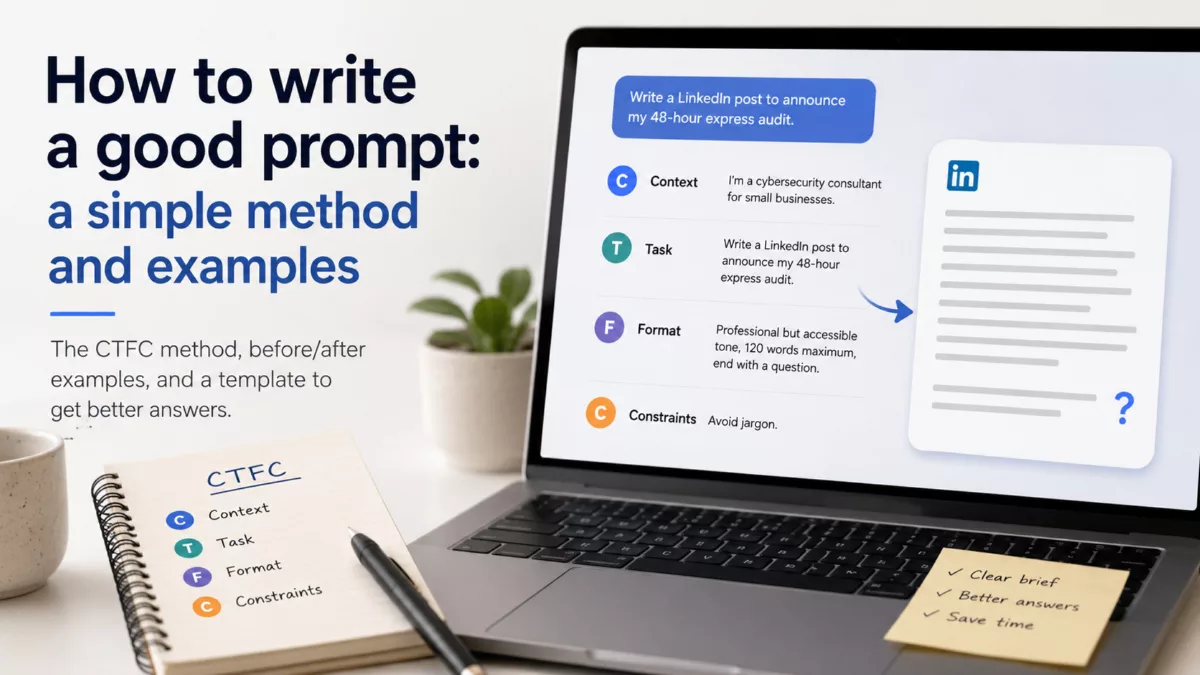
A good prompt is built, in order, from four simple elements: Context, Task, Format, Constraints. Remember "CTFC", and you have your checklist. You don't need all four every time, but the more the task matters, the more they make a difference.
1. The context. Who are you, for whom, and to what end? "I'm a cybersecurity consultant for small businesses" already steers the whole answer. It's the most often forgotten ingredient, and the most useful.
2. The precise task. An action verb and an expected result, not a vague intention. "Write", "summarize", "compare", "fix", followed by what you actually want to get.
3. The output format. Say how you want the answer: a list or a paragraph, a table, a tone, a length. "In 120 words maximum, in a professional but accessible tone" saves you the back-and-forth.
4. The constraints. What to avoid or respect. "No technical jargon", "based only on the text I give you", "end with a question". These limits frame the answer and bring you closer to your goal.
The template to copy
Keep this template handy and fill in the brackets:
I am [your job / your situation] and I'm addressing [your audience].
[Write / Summarize / Compare / Fix] [what you want to get, precisely].
Format: [length, tone, expected structure].
Constraints: [what to avoid or absolutely respect].
It's deliberately basic. A prompt doesn't need to be sophisticated, it needs to be complete.
Three before/after examples
The gap the method produces is immediately visible, whatever the type of task.
A LinkedIn post.
| The prompt | What you get |
|---|---|
| Write a LinkedIn post about my new service. | A one-size-fits-all text that could be about any service. |
| I'm a cybersecurity consultant for small businesses. Write a LinkedIn post to announce my 48-hour express audit. Professional but accessible tone, 120 words maximum, end with a question. Avoid jargon. | A post ready to publish, in your voice, calibrated for your audience. |
A tricky email.
| The prompt | What you get |
|---|---|
| Write an email to follow up with a client. | A generic, slightly servile follow-up you'll have to rewrite entirely. |
| My client hasn't replied to the quote I sent 10 days ago. Write a short, cordial follow-up that reminds them of the offer's deadline without applying pressure. Five sentences maximum, no "I hope you're doing well". | A follow-up you can send as is, in the right register. |
A document summary.
| The prompt | What you get |
|---|---|
| Summarize this report. | A linear summary, often too long, that doesn't sort out what matters. |
| Summarize this report for an executive committee that doesn't have time to read it: 5 key points maximum, one figure per point if possible, and end with the decision to make. Rely only on the document. | A decision-oriented synthesis, ready to present. |
The second prompt is never more "clever", it's just more complete. That's almost always where quality is decided.
Show rather than describe
There's a very effective lever that's rarely used: give an example. Rather than describing at length the tone or style you want, show a sample of it.
Want five catchy headlines? Paste three you like and ask "write five more in the same spirit". Want an email in your style? Give one of your old messages as a model. The AI imitates remarkably well what you show it, often better than it follows an abstract description.
The rule is simple: when something is hard to explain, show an example of the result you want. One example beats a long paragraph of instructions.
The right model for the right task
The same tool often offers a fast model and a more powerful one, and that choice changes the result a lot. The fast one is enough for simple tasks: rephrasing, summarizing a short text, brainstorming ideas. The powerful one is slower, but it reasons better: bring it out for an in-depth analysis, a multi-step problem, or a long, structured text.
The reflex that helps: if an answer seems shallow or wrong on a complicated task, don't rewrite your prompt ten times. First try switching to the more capable model: the problem may have come from there.
A prompt isn't set in stone: iterate, or start fresh
The most common mistake is treating the prompt as a single shot: one question, one answer, and if it doesn't work, you give up. Prompting is a conversation.
Over the course of the exchanges, the AI keeps in mind everything that's been said: your initial request, its answers, your corrections. This is what we call the context. This thread helps it stay consistent, but it can also clutter it, especially when the discussion goes off in all directions and piles up contradictory instructions.
Hence two complementary reflexes. For a small adjustment, correct course without redoing everything: "Too long, cut it in half.", "The tone is too salesy, make it more restrained.", "Redo it, but keep only the second point." You refine, as you would with someone.
But when the conversation gets tangled, don't dig in. Open a new conversation and rewrite a single clean prompt that incorporates everything you've learned along the way. Starting from a blank context, with a better brief, often unblocks things better than one more correction.
One last reflex: ask the AI to review its own work. "What's missing from this answer?" or "What are the weak points of this text?" often yield a better version in one more round. The right answer rarely comes on the first try, and that's fine.
The pitfalls to avoid
A few missteps come up all the time. Knowing them is enough to avoid them.
Too vague. "Help me with my project" leads nowhere. The more precise the request, the better the answer.
Too many things at once. Piling five requests into one message muddles everything. Break it up, move forward step by step.
Assuming it knows you. The AI doesn't remember your job or your project if you don't say it again. Context has to be re-given.
Blind trust. A well-phrased answer isn't necessarily correct. An AI sometimes gets things wrong with confidence and invents credible details. For anything that matters, verify before using.
Going further
Two techniques are worth the detour once the basics are in place.
Assigning a role. Starting with "You are a rigorous legal proofreader" or "You are a journalist used to explaining things simply" steers the tone and the level of rigor of the answer. It's a quick way to set the frame.
Building a library of templates. For recurring tasks, keep your best prompts (starting from the CTFC template above) and reuse them by just changing the brackets. You stop starting from scratch every time.
These principles become even more important with AI agents, which carry out multi-step tasks from a goal. Prompting an agent means handing it a clear objective rather than a simple question, and this whole guide applies to it. If the topic interests you, see what an AI agent is and how to get started with one.
Prompting well is a habit, not a gift
Remember the essentials: most bad answers don't come from the tool, but from a request that's too vague. Give context, specify the task, state the format you want, add your constraints, show an example when you can, and refine instead of giving up. None of this is technical, it's just the art of briefing well, transposed to the written word.
One last piece of advice: the best way to improve is to practice on a real need. Open the AI tool you already use, take a request that had disappointed you, and rewrite it with this guide's template. The difference will make you want to keep going.