It is 5 p.m. An 80 page report has just landed in your inbox, the meeting where you are expected to discuss it starts at 9 a.m. tomorrow, and nobody expects you to recite it: they expect you to know what is in it. That is the situation where an AI tool saves an entire evening.
Summarizing a long document with AI works well, on three conditions: pick the tool that matches your situation, write a precise prompt, and read the result with a critical eye. This article covers the tools family by family, the method, and what AI summarizes badly.
What to know before you start
AI can be wrong, and it can make things up. A summary can be fluent, well structured and wrong on one specific point. The risk sits mainly in figures, dates and commitments: a rounded amount, a shifted deadline, a conditional clause presented as firm. Anything you are going to commit to gets checked against the source document, every time.
Confidentiality is not a detail. A services agreement, a customer file, an HR case or a live tender response does not go onto the first service that comes to hand. Six questions to ask before uploading a sensitive document:
Is the file stored, and for how long?
Is it used to train the provider's models?
Can human operators review it?
Where is the data hosted?
Can documents be deleted permanently?
Does the business plan put these commitments in writing?
The answers usually sit in the provider's terms of use.
Length matters, and so does complexity. An AI model works within what is called its context window: the amount of text it can hold in mind at once. Beyond that, the tool splits the document, handles the pieces separately, and the overall view degrades. Length is not the only factor: 100 pages of running text often summarize better than a 30 page report packed with tables, appendices and multi column layouts.
How to choose your tool
Size and complexity of the documents you handle day to day.
Confidentiality required by those documents, and what the provider commits to.
Output quality in your working language: most tools handle English well, so test them on your own material if you also work in French, German or Spanish.
Source citations, the practical condition for any quick verification.
Price, separating a monthly need from a daily one.
The three families of tools
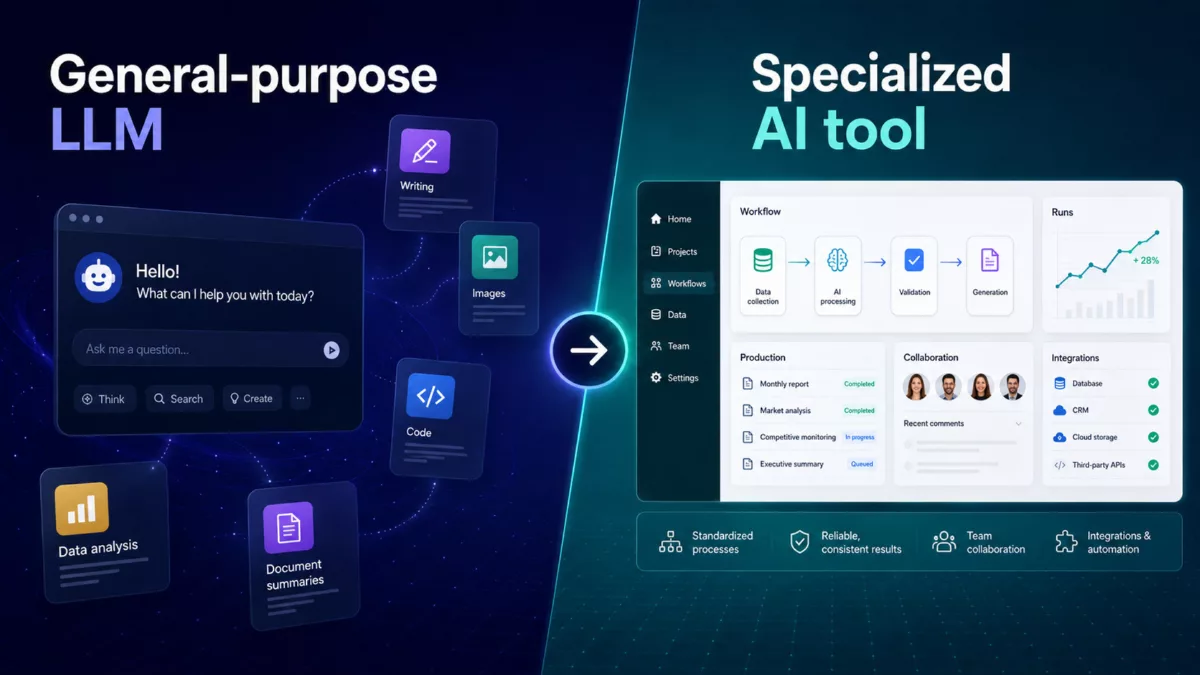
General purpose assistants
ChatGPT, Claude, Gemini and NotebookLM all accept document attachments and can produce a summary, a list of key points or an answer to a specific question. NotebookLM sits in between two families: its interface is organized around the sources you collect, but its uses stay close to those of a general assistant.
Who for: occasional to regular use, across varied documents.
Strengths: versatility, and the ability to follow up with further questions or turn the summary into a note, an email or a presentation outline. The main assistants generally produce solid summaries in English, with differences in style and precision from one model to another.
Limits: precise citations are not always offered, file handling capacity varies by plan, and juggling several large documents at once remains uneven.
Dedicated document chat tools
These services are built around a single gesture: drop in a PDF and ask it questions. ChatPDF and AskYourPDF target everyday use, from an annual report to a technical manual. Humata leans towards people working through dense material.
Who for: anyone who needs to interrogate one specific document, find a passage, check what page 47 actually says.
Strengths: the interface is built around the document, and these tools usually display the passage their answer rests on, which general assistants do not do systematically. Most offer a free tier for testing, with limits that vary by provider.
Limits: they answer and summarize, but write less well than general assistants. Test one of your own documents before committing to a subscription.
Multi document research and synthesis tools
Perplexity and Elicit follow a different logic: cross referencing several sources rather than working through a single file. Elicit is aimed at scientific literature, Perplexity at general information research with sources displayed.
Who for: market monitoring, a case file made of dozens of documents, the literature review behind a dissertation.
Strengths: an overview of a whole corpus, source traceability, comparison across documents.
Limits: they take longer to learn, and they are oversized for a single report you have to read before tomorrow morning.
What to choose, in practice
An occasional report: start with the assistant you already use, install nothing else.
A PDF you need to check line by line: pick a tool that shows pages and source passages.
Ten or more sources to cross reference: move to a tool built for corpora.
A confidential document: look at the contractual guarantees first, features second.
The method: getting a good summary
The prompt does half the work
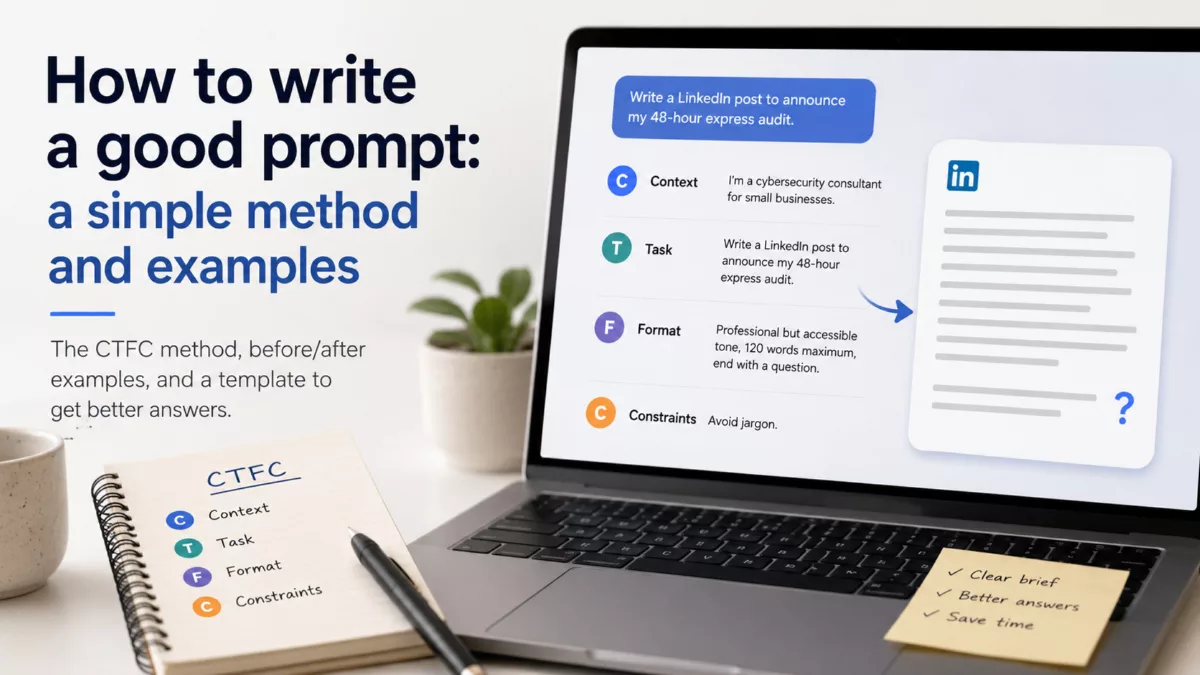
"Summarize this document" usually returns something generic, shallow and hard to use. A good prompt sets out four things: the role the AI should take, your context, the format expected (length, structure, level of detail) and what you will do with the text. A summary written to prepare a board meeting looks nothing like one written to archive a file.
Three prompts you can copy
The executive summary:
You are an analyst. Attached is an annual activity report. Summarize it in 10 numbered points, written for a director who has not read the document and has to decide whether to renew funding. One sentence per point, most important first. Give the source page for each point. Finish with the questions the document leaves unanswered.
The contract review:
Here is a services agreement I need to sign. List separately: the commitments I am taking on (deadlines, amounts, penalties), the supplier's commitments, the termination and renewal conditions, then any ambiguous or unfavourable clauses. For each point, quote the exact sentence from the contract and its page. Do not give legal advice.
The comparative synthesis:
Here are two responses to the same request for proposal. Build a comparison table with these columns: scope, price, timeline, warranties, subcontracting. Then add three important differences that do not show up in the table. Indicate the passages you are relying on.
The verification reflex
Four moves, a few minutes, on any summary that will feed a decision:
Ask for page numbers in the initial prompt: it costs one line and makes checking possible.
Take three or four decisive items, typically amounts, deadlines and obligations, and read them in the document itself.
Treat any claim you cannot trace to an identifiable passage as a hypothesis, not a fact.
Ask one question you already know the answer to: if the tool gets that wrong, distrust the rest.
Honest limits
AI summarizes technical material outside its comfort zone poorly: industry standards, engineering specifications, accounting practices specific to a trade. It regularly stumbles on financial tables spread across several columns and several reporting periods, where rows and columns blur together. It smooths over legal nuance: a reservation, a conditional, an exception tucked into a footnote often vanish from the summary.
The technical quality of the file weighs as much as the model. Handled badly: scanned PDFs never processed into text, password protected documents, tables and charts saved as images, pages whose orientation changes partway through, appendices delivered as separate files, and documents where the substance lives in the footnotes. A clean file beats a stronger tool fed a messy one.
Some cases still call for reading it yourself: a contract before signature, a document you will have to defend publicly, a text a heavy decision rests on. The summary then serves to prepare that reading and show you where to concentrate, not to replace it.
Comparison table
| Family | Best for | Strengths | Limits | Starting price |
|---|---|---|---|---|
| General purpose assistants | Occasional use, varied documents, reusing the summary | Already available, versatile, generally solid summaries | Citations not always offered, capacity varies by plan | Free to test, subscription usually needed for regular use |
| Dedicated document chat tools | Interrogating one specific PDF, finding and checking a passage | Source passages displayed, document centred interface | Weaker writing, quality to test on your own files | Free to test, subscription usually needed for regular use |
| Multi document research and synthesis | Cross referencing sources, large case files, monitoring | Overview of a corpus, traceability | Steeper learning curve, oversized for a single document | Free to test, subscription usually needed for regular use |